Choose a source image
Select a clear original rather than a screenshot of a screenshot. A stronger source gives the processor more edges, color information, and texture to work with.
Image enlargement guide
What is bigjpg? It is an image enlargement service designed to make smaller pictures larger while preserving more visible detail than a basic resize. This guide explains the process, practical limits, and common use cases.
Plain-language definition
Bigjpg is an image enlargement tool that uses automated processing to increase an image's dimensions and attempt to reduce the softness normally caused by scaling.
When a tiny source contains no usable information, bigjpg cannot recreate the exact original face, text, texture, or object detail.
WorkaroundStart with the largest, sharpest source available and inspect the result before publishing it.
Small labels, screenshots, signs, and fine typography may remain warped or unreadable after enlargement.
WorkaroundKeep the original document or recreate important lettering in an editor after processing.
Severe blur, motion streaks, compression blocks, exposure errors, and unusual artifacts may still be visible in the enlarged image.
WorkaroundCorrect lighting, crop, noise, or focus problems before relying on enlargement.
Bigjpg focuses on enlargement rather than layered retouching, compositing, color grading, or detailed object removal.
WorkaroundUse the enlarged file as a starting point in a separate image editor when broader changes are needed.
The basic process
The workflow is straightforward: provide an image, let the service analyze its visual structure, then review the enlarged result for quality and accuracy.
Select a clear original rather than a screenshot of a screenshot. A stronger source gives the processor more edges, color information, and texture to work with.
Bigjpg examines the image and scales it to a larger size while applying automated smoothing and detail reconstruction. The output depends heavily on the starting image.
Check faces, hair, text, thin lines, and repeated patterns at full size. Keep the result when it meets the purpose, or return to a better source and try again.
Continue exploring
The surrounding guides cover adjacent questions about the service, its AI-related terminology, and the practical role of a picture enlarger.
This guide explains what to consider when looking for an online access route and how to judge the result before sharing it.
This page looks at the AI label in context and separates automated enlargement from broader image-generation claims.
This guide focuses on enlargement as a specific capability, including suitable sources and common output problems.
At a glance
A conventional resize changes dimensions through interpolation; bigjpg attempts to produce a more useful visual result by analyzing patterns in the source.
Bigjpg enlargement
Increase image dimensions while trying to preserve or improve perceived detail
Basic resize
Change width and height with a conventional interpolation method
Bigjpg enlargement
Works best when the original has visible edges, texture, and clean color information
Basic resize
Can accept almost any image, but a weak source remains weak
Bigjpg enlargement
May reconstruct plausible detail around edges and textures
Basic resize
Usually spreads existing pixels, which can look softer at larger sizes
Bigjpg enlargement
Can improve some shapes, but tiny lettering and thin lines may still distort
Basic resize
Often produces visibly soft or jagged text when enlarged
Bigjpg enlargement
Not intended for compositing, retouching, or object removal
Basic resize
Also does not provide editing features unless paired with another application
Bigjpg enlargement
Requires a visual check for invented-looking textures or facial changes
Basic resize
Usually easier to predict because it makes fewer interpretive changes
Visual example
The difference is easiest to judge by looking at the original and enlarged versions side by side, especially around faces, hair, outlines, and small textures.
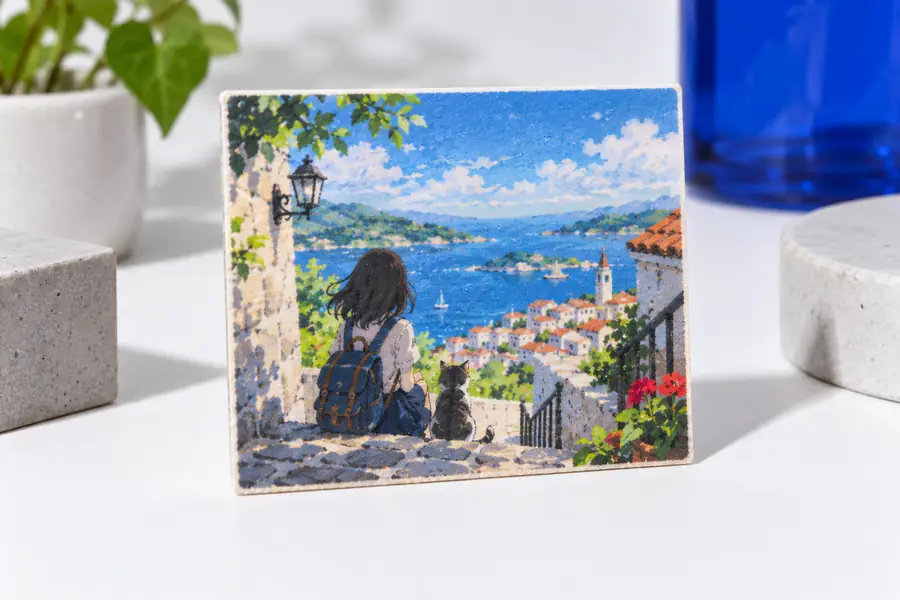
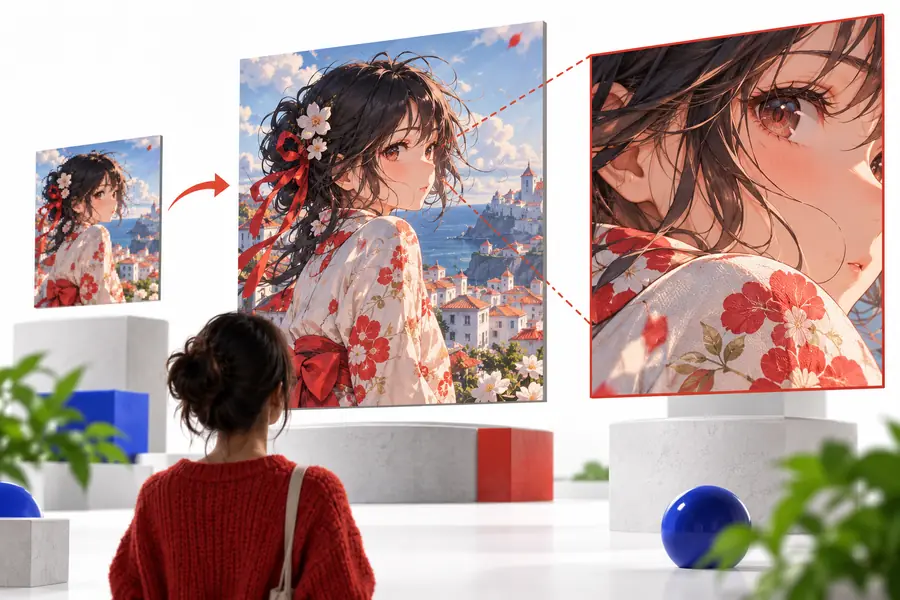
Inspect fine details at 100% before using the result.
Practical audiences
Different users approach bigjpg with the same basic goal: make an existing image larger without accepting the softness of an ordinary resize.
They may have a small character illustration or reference image that needs to fit a larger canvas.
An enlarged starting point can make proportions, colors, and line relationships easier to inspect before further editing.
bigjpg picture enlargerThey may be working with scanned photographs that are too small for a print, album, or digital display.
A larger copy can be more useful for viewing, although scratches, blur, and missing detail still need separate restoration work.
is bigjpg safeThey may need to adapt an existing image for a larger presentation area without starting the artwork again.
The enlarged file can support a layout review, provided the team checks faces, logos, and text before publishing.
free bigjpg onlineThey may need to examine a diagram, map, illustration, or historical image at a more workable scale.
Enlargement can improve viewing comfort, but it should not be treated as proof that newly visible detail is historically accurate.
bigjpg aiMake an informed start
Bigjpg can be useful when the goal is practical image enlargement, not magical recovery of every lost pixel. Choose the cleanest source you have, compare the output with the original, and keep an unedited copy for reference.
Common question
Bigjpg is an automated image enlargement service. It increases an image's dimensions and attempts to preserve or reconstruct useful-looking detail so the result is more practical to view or place in a larger layout.
No. A standard resize mainly changes the pixel dimensions through interpolation, while bigjpg analyzes visual patterns as it enlarges the image. The result can look more detailed, but it is still limited by the quality and information in the original.
It can be considered for photographs, illustrations, portraits, and other raster images that need to become larger. The best candidates are reasonably clear files with visible edges and textures rather than severely blurred or heavily compressed sources.
No. Bigjpg cannot recover information that was never captured, and it may produce imperfect or plausible-looking detail in difficult areas. Always inspect important faces, lettering, logos, and technical diagrams before treating the enlarged file as final.